Field Effector
An Effector that reads vector Fields and transfers those attributes to matrices. Can be used to simulate particle movement inside Force Fields without the use of particles.
This Effector allows matrices and mesh elements to behave as particles when inside a vector Field.
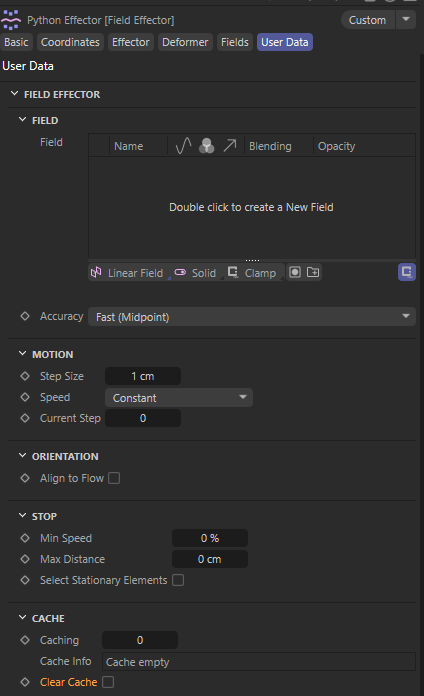
Field - Here you drop in any type of vector fields
Accuracy - Uses two algorithms for better sampling of the Field
Step Size - Defines a constant step the elements will travel towards.
Speed - If your Field is not animating you can leave it to Constant but if your Field is changing through time then the Effector must make additional operations to keep the Field updated.
Speed Factor - This is a factor that is used internally to increase the velocity effect of the Field. It’s the same thing as increasing the vector length of the Field.
Max Step - If the Field is variable (animated) the Effector must make adjustments to the Step Size depending the vector length on each point. This attribute makes sure a certain threshold is not exceeded to keep elements from overshooting if the velocity is too high.
Current Step - Defines the current step the Effector computes. Step 0 is the initial positions of the elements. Subsequent steps are calculated from that step and the state of the Field at the new point.
Align to Flow - Will automatically align the elements with the tangent on the vector on which they travel.
Up Vector - You can change the local axis of preference to align with the travel direction.
Min Speed - This defines a minimum vector magnitude to be considered as 0. Helps limiting small turbulences in complex fields that result in jittering.
Max Distance - Will stop elements from advancing further than the defined value.
Select Stationary Elements - Creates a MoSelection tag on the Effector’s Matrix object. In Deformer mode it will create a Point or Polygon Selection respectively. Those selections contain only those elements that have been filtered having 0 velocity.
Caching - Defines the number of steps to be cached from Step 0. You can cache steps for faster animation or hopping to steps.
Cache Info - Contains information about the state of the cache.
Clear Cache - This will clear the cache and automatically re-calculate it.
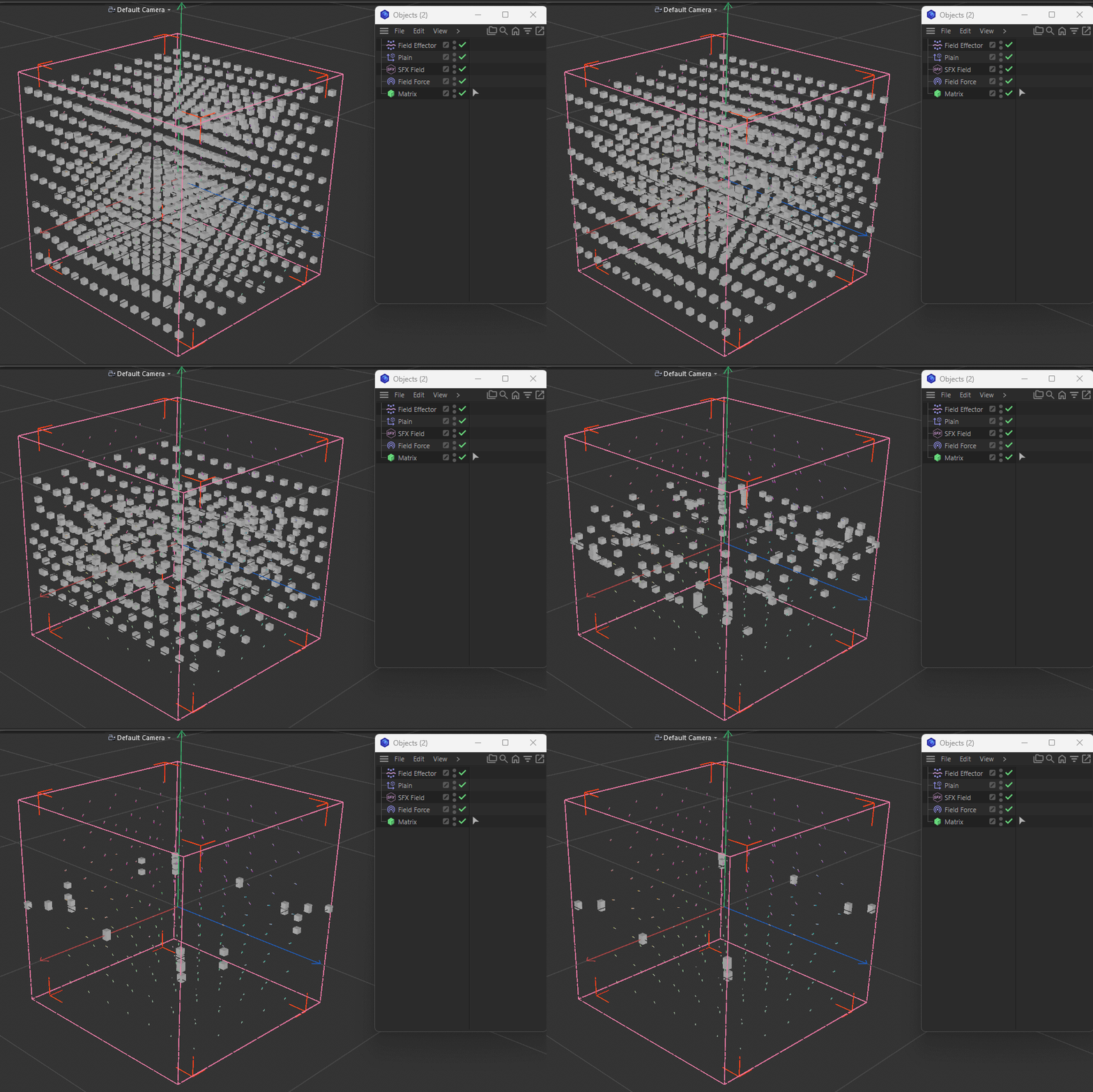
The below animation demonstrates what the Field Effector does. The Field Force object is there only to visualize the SFX Field used to drive the motion of the matrices. A Plain Effector with a Solid Field Layer is used to hide elements with no velocity with the use of the MoSelection tag generated from the Field Effector.
Note
This plugin also benefits from the NumPy Python library. See TXT inside the folder for instructions.
Changelog
- 1.6.0 Release Version